

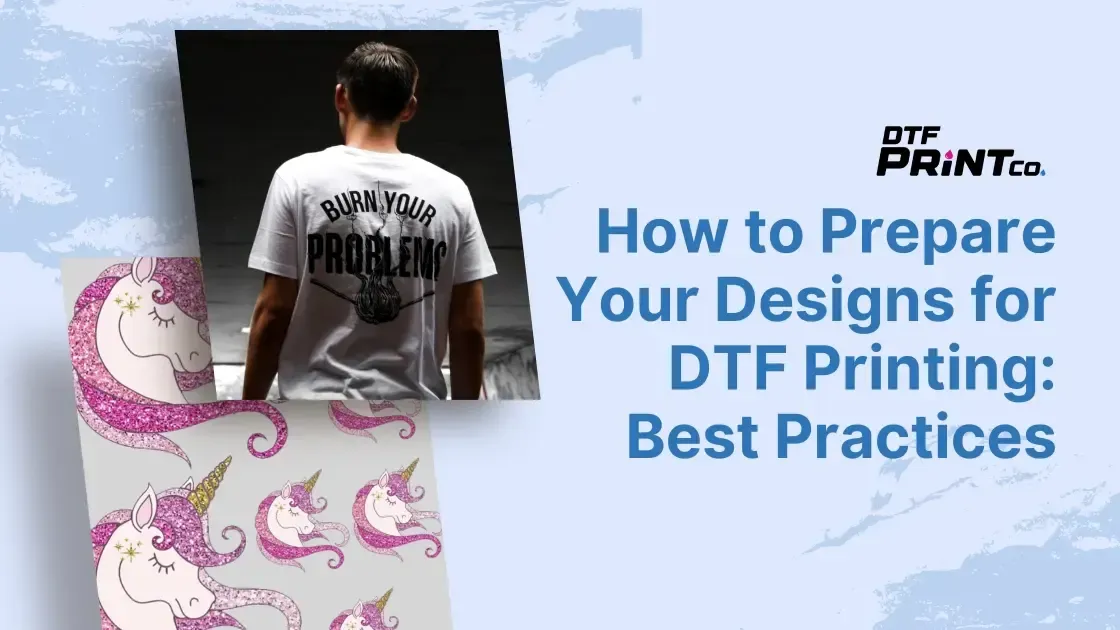
DTF design best practices guide designers and hobbyists alike to create artwork that pops on fabric while looking great on screen. DTF printing has opened up many creative possibilities, but results hinge on thoughtful design and solid file preparation for direct-to-fabric applications. This guide covers color management for DTF, plus creating print-ready files and fabric artwork that translates well. Planning for bleed, safe margins, and edge quality keeps critical elements intact from screen to cloth. From concept to final garment, you’ll learn how color, texture, and detail translate into durable, wash-fast results.
In other words, these guidelines become garment-focused strategies for turning digital art into textile graphics. From a textile printing perspective, you’ll optimize color fidelity, edge crispness, and workflow efficiency across fabric types. Think of it as preparing print-ready assets for fabric artwork that will be reproduced on apparel, blankets, or accessories. Applying these concepts in a color-managed pipeline helps ensure consistent results when viewed on real-world textiles and under varied lighting.
DTF Design Best Practices: Translating Screen Concepts to Fabric Artwork
DTF design best practices guide designers and hobbyists alike to create artwork that looks stunning on screen and translates to fabric where it truly pops. When you consider direct-to-fabric (DTF) printing from the outset, you plan for ink behavior, texture, and edge fidelity, not just on-screen pixels. This means thinking in terms of fabric artwork, bleed zones, and safe margins so your design remains intact after trimming and sewing.
To start strong, work at a high resolution and plan for print-ready results. Aiming for 300 dpi at actual print size is a reliable baseline for many fabrics, with safe margins to prevent important elements from cropping. Keeping this mindset aligns your digital composition with the realities of DTF printing, ensuring crisp lines, vibrant color, and a finished look that holds up to wear and washing.
Color Management for DTF: Preserving Vivid Hues from Screen to Shirt
Color management for DTF is a cornerstone of successful fabric artwork. Establish a color-managed workflow using ICC profiles provided by your printer or ink vendor, and work in the color space your printer expects (often CMYK). Soft-proofing helps you anticipate how colors render on fabric, reducing surprises after the print. Remember that neon tones and highly saturated hues can shift after printing, so plan alternatives or adjust saturation to keep balance across the design.
When collaborating with clients or teams, provide color-accurate mockups that reflect fabric swatches. This sets expectations and reduces revisions later. The goal is to maintain color integrity through the entire chain—from design software to print-ready files and finally to the garment—while accounting for fabric texture and lighting conditions that affect perceived brightness.
Preparing Print-Ready Files for Direct-to-Fabric: Formats, Bleed, and Layers
Preparing print-ready files for DTF requires clean layers, labeled color profiles, and appropriate bleed. Commonly accepted raster formats include PNG and TIFF, while PDF handles vector-to-raster workflows when you intend to rasterize. For DTF, PNG files with an alpha channel are often ideal for preserving transparency and edge crispness around cutouts or text. Clear file naming and embedded color profiles help the production team reproduce your vision with fewer沟通 gaps.
Layer organization matters just as much as the artwork itself. Flatten or keep layers as needed for your printer’s workflow, and include bleed beyond the final trim to prevent white edges if fabric edges curl or shift during printing. Document the intended color space and any special instructions so the print-ready files travel smoothly from design to production and every stakeholder remains aligned.
Edge Quality, Typography, and Text Handling on Fabric
Text and fine lines require special attention in DTF design. Ultra-thin strokes may blur or break on fabric, so convert fonts to outlines or provide embedded font files to ensure consistent rendering across devices. Strengthen line weights and use higher-contrast color combinations to retain readability after printing and washing.
Edge quality on fabric is also influenced by color choice and texture. When possible, test how edges perform on actual fabric swatches and adjust stroke width, kerning, and letter spacing accordingly. By prioritizing robust typography and clear edges, your fabric artwork keeps its legibility and visual impact under real-world wear.
Workflow and Template Systems for Efficient DTF Production
A standardized workflow speeds up production and reduces errors. Create templates that include bleed, safe margins, color profiles, and preferred file naming conventions, then reuse them for every project. A test-print loop—printing small swatches to verify color density and edge clarity before a full run—helps catch issues early.
Version control and open communication with printers are essential. Maintain a history of design iterations, clearly describe file formats, color spaces, DPI, and placement instructions. Consider sustainability in material choices—balancing vibrancy with wash-fastness and durability—so your DTF projects perform well across multiple garments and conditions.
Real-World DTF Validation: Fabric Testing, Proofing, and Refinement
Case-study style testing makes DTF workflows practical. Start with concept boards and mood references, then translate ideas into scalable vector layouts and print-ready previews. Produce test swatches and compare them to proofs, noting discrepancies in color, density, or edge sharpness, and adjust the artwork accordingly before proceeding to larger runs.
Testing across fabrics, garment types, and washing scenarios is crucial. Place designs away from seams, account for stretch and drape, and verify alignment across panels if needed. By validating your art on actual fabrics and in realistic wearing conditions, you ensure that the final result meets client expectations and end-user satisfaction, with durable color, crisp edges, and reliable performance.
Frequently Asked Questions
What resolution and canvas setup are recommended in DTF design best practices to ensure print-ready fabric artwork for direct-to-fabric printing?
Aim for 300 dpi at the actual print size as a baseline for most cotton and poly blends. For very large designs, you can work at 150–200 dpi if you’ve tested your printer’s upscaling method, but never go below 150 dpi for fine detail. Build in bleed and safe margins so essential elements aren’t cropped during trimming, ensuring clean edges for DTF printing.
How does color management for DTF influence fabric color accuracy, and what steps should designers take?
Use ICC profiles provided by your printer or ink vendor and work in the color space the printer expects (often CMYK). Soft-proof to anticipate on-fabric results, and provide color-accurate mockups with fabric swatches to set client expectations. Remember that bright neon tones can shift after printing, so plan alternatives or adjust saturation accordingly.
Which file formats and layering practices make fabric artwork ready for DTF printing?
Create print-ready files with clean layers and appropriate flattening. Use PNG or TIFF for raster artwork and PDF for vector designs you intend to rasterize. PNG with an alpha channel preserves transparency and edge crispness around cutouts or text. Label layers clearly and include a properly labeled color profile and bleed guides for accurate production.
What strategies ensure edge quality and text remains legible in DTF printing?
Avoid ultra-thin strokes that can blur on fabric. Convert fonts to outlines or provide embedded font files to ensure consistency. Increase line weights when needed and use high-contrast color combinations to preserve legibility after printing and washing.
What layout and placement considerations are important when designing for garments with DTF?
Plan for the garment’s actual dimensions and include bleed beyond the final trim to prevent white edges. Place important art away from seams or folds, and consider how the design looks when the fabric stretches or wraps. For multi-panel designs, verify alignment marks so pieces line up correctly during production.
What workflow practices help achieve consistent DTF results across fabrics and production runs?
Create a standardized template with bleed, safe margins, and a color profile. Build a test-print loop to verify color, density, and edge clarity on real fabric. Maintain version history, communicate exact file format, color space, DPI, and placement to printers, and choose inks and fabrics aligned with durability and wash-fastness goals.
| Topic | Key Points Summary | Practical Takeaways |
|---|---|---|
| Why DTF Design Best Practices Matter | Fabric absorbs inks, colors shift under lighting, and texture can differ from paper; plan for print, not just pixels; test on actual fabric; reduces waste and ensures consistent results. | Prioritize preflight checks, align with printer specs, and maintain color integrity. |
| Start with the right canvas and resolution | High resolution baseline is 300 dpi at actual print size; for very large designs you can work at 150–200 dpi if you’ve tested the upscaling method used by your printer, but avoid going below 150 dpi for anything with fine detail; plan bleed and safe margins. | Set up canvas with bleed and safe margins; avoid below 150 dpi for fine detail; verify printer upscaling methods before production. |
| Color management and profiles | Color management is crucial; establish a color-managed workflow using ICC profiles from your printer or ink vendor; work in the color space your printer expects (often CMYK); soft-proof to anticipate fabric render; neon tones can shift; provide color-accurate mockups to clients. | Ask for ICC profiles; soft-proof; show fabric swatches; set expectations upfront. |
| Artwork preparation and file formats | Create print-ready files with clean layers and flatten when appropriate; PNG or TIFF for raster; PDF for vector-to-raster; PNG with alpha for transparency; label color profiles and bleed guides | Use alpha PNGs; name layers clearly; include proper color profiles and bleed guides |
| Edge quality and text handling | Text and fine lines require care: avoid ultra-thin strokes; convert fonts to outlines or provide embedded fonts; strengthen line weights and use high-contrast color combinations for legibility after printing and washing. | Ensure legibility; test edge crispness on fabric; convert fonts when possible. |
| Layout, bleed, and placement on fabrics | Plan garment dimensions; include bleed beyond final trim; place art away from seams or folds; consider how design looks when stretched; for multi-panel designs verify alignment marks | Place design away from seams; verify alignment marks during production |
| Color, Contrast, and Texture on Fabric | Fabric weave, fiber content, and finish affect brightness and saturation; test several colorways and contrast levels; high-contrast designs pop on casual fabrics; texture influences depth and sharpness; build texture cues with layering, shading, and highlights for dimensionality | Test on multiple fabrics; adjust color and contrast for each; use texture deliberately to enhance depth |
| Workflow Tips for Consistency and Efficiency | Create standardized templates with bleed and color profile; build a test-print loop; maintain a version history; communicate exact specs to printers; consider sustainability in material choices | Standardize templates; run swatches; track versions; share precise file specs with printers |
| Practical Guidelines for Real-World DTF Projects | Case-study style guidance: concept to scalable vector layout; export a transparent PNG with a color-managed profile; prepare a variant with adjusted saturation; compare test swatch to proof and re-test until match | Use test swatches; compare to proof; adjust as needed |
| Common Mistakes and How to Avoid Them | Bleed underestimation; ignoring fabric behavior; overcomplicating details; skipping proofing | Always include bleed; test on real fabric; simplify details; proof before full runs |
| Conclusion | DTF design best practices summarize how to bridge digital artwork and tangible fabric products; good workflows, clean files, and thoughtful layout yield vibrant color, crisp edges, and durable results | Adopt a disciplined workflow; test across fabrics and lighting; communicate clearly with printers |
Summary
DTF design best practices set the standard for turning screen-ready artwork into durable, vibrant fabric prints. This descriptive conclusion highlights how a disciplined workflow—high-resolution artwork, color-managed processes, clean file preparation, and thoughtful layout planning—helps ensure color fidelity, crisp edges, and wash-fast durability across fabrics. By testing across different fabrics and lighting conditions and maintaining clear communication with printers, you can deliver consistent, high-quality results that satisfy clients and wearers alike.